
How to Update Your Forms Request Page to Direct Customers to Unicli
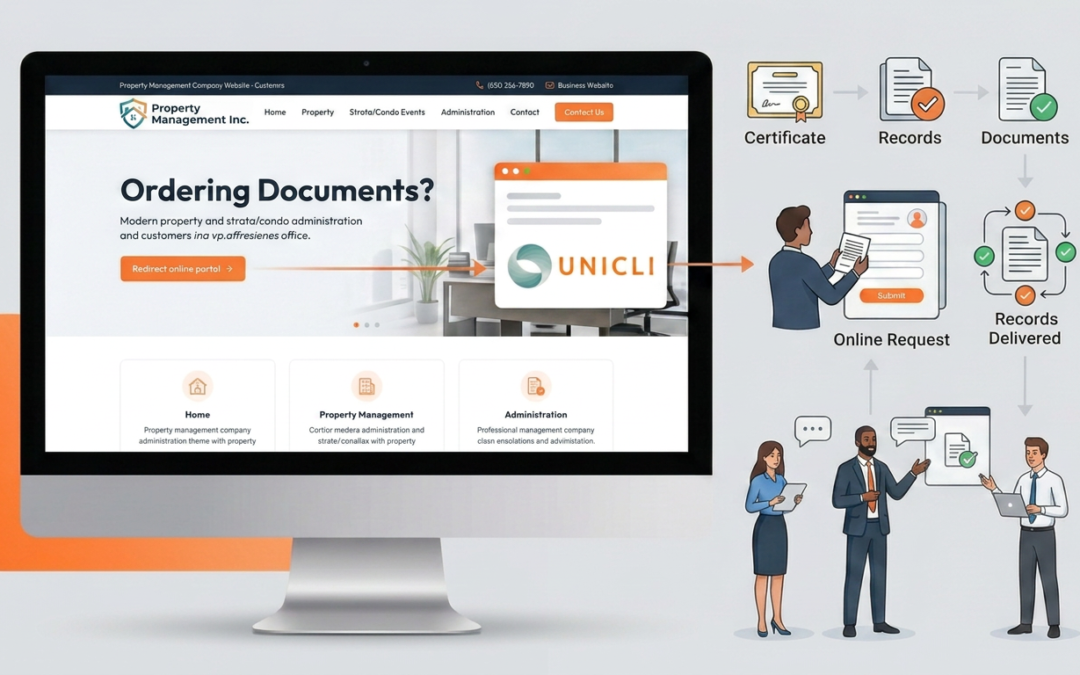
To streamline certificate and record requests, we recommend updating your website’s Forms Request page to direct customers to Unicli. This provides a faster, more user-friendly ordering experience and ensures requests are submitted through the proper channel.
What to Add to Your Page
Add a new section to your Forms Request page that:
- Explains that certificate and record requests are processed through Unicli.
- Provides a link to the Unicli portal for customers to sign up or log in.
- Outlines the ordering process.
- Display the Unicli logo with a link to the portal.
Optionally you may also:
- Include your company’s contact information.
- Advises customers that orders are not accepted by email.
- Include your mailing address for owners who prefer to submit written requests.
Installation Options
Option1: Paste the HTML Snippet
The easiest option is to paste the provided HTML snippet into a custom HTML, code block, or HTML widget on your Forms Request page.
Before publishing, replace the following placeholders with your own information:
000-000-0000→ Your phone numberemail@mydomain.com→ Your email addressCOMPANY NAME→ Your company nameADDRESS→ Your street addressCITY, PROV POSTAL→ Your city, province, and postal code
<div style=”display:flex; justify-content:space-between; align-items:flex-start; gap:30px; flex-wrap:wrap;”>
<div style=”flex:1; min-width:300px;”>
<h1>Ordering Documents?</h1>
<p>Ordering documents and records has never been easier than with <a href=”https://unicli.ai“><strong>Unicli</strong></a>. That’s why we process certificate and record requests through <strong><a href=”https://app.unicli.ai/login” target=”_blank” rel=”noopener”>app.unicli.ai</a></strong>.</p>
<p><strong>The process is simple:</strong></p>
<ol style=”padding-inline-start:40px; list-style-position:outside;”>
<li><a href=”https://app.unicli.ai/signup/“><strong>Sign Up</strong></a> or <a href=”https://app.unicli.ai/login“><strong>Log In</strong></a> to Unicli.</li>
<li>Find the property by plan name or address.</li>
<li>Request the certificates you want and the date you want them by.</li>
<li>If ordering records, once your order is approved, you’ll see a list of available records and can choose exactly which records you want.</li>
</ol>
<p>If you have any questions about the process, please feel free to contact us:</p>
<p style=”padding-left:40px;”>
Phone: 000-000-0000<br>
Email: email@mydomain.com
</p>
<p>
<span style=”font-size:0.8em;”>
<strong>IMPORTANT:</strong> Orders are not accepted by email to this address.
</span>
</p>
<p>If you are an owner and do not wish to order documents online, you may make your request in writing. Written requests for documents may be delivered to:</p>
<p style=”padding-left:40px;”>
COMPANY NAME<br>
ADDRESS<br>
CITY, PROV POSTAL
</p>
</div>
<div style=”flex:0 0 180px; text-align:right;”>
<a href=”https://app.unicli.ai/login” target=”_blank” rel=”noopener”>
<img
src=”https://unicli.ai/wp-content/uploads/2025/08/LOGO-Designs-ALL_Light-vertical-orange-square.png“
alt=”Unicli Logo”
width=”180″>
</a>
</div>
</div>
Option 2: Recreate the Content in Your Website Builder
If your website platform does not support custom HTML or you would like to use your preferred design, you can recreate the same layout using your page builder.
Include the following content:
Ordering Documents?
Ordering documents and records has never been easier than with Unicli. That's why we process certificate and record requests through app.unicli.ai. The process is simple:- Sign Up or Log In to Unicli.
- Find the property by plan name or address.
- Request the certificates you want and the date you want them by.
- If ordering records, once your order is approved, you'll see a list of available records and can choose exactly which records you want.
Phone: 000-000-0000 Email: email@mydomain.com
IMPORTANT: Orders are not accepted by email to this address. If you are an owner and do not wish to order documents online, you may make your request in writing. Written requests for documents may be delivered to:COMPANY NAME ADDRESS CITY, PROV POSTAL
Include the Unicli logo on the right side of the page and link it to:
- Platform Login: https://app.unicli.ai/login
- Platform Signup: https://app.unicli.ai/signup/
Logo Image:
- Vertical Layout: https://unicli.ai/wp-content/uploads/2025/08/LOGO-Designs-ALL_Light-vertical-orange-square.png
- Horizontal Layout: https://unicli.ai/wp-content/uploads/2024/09/LOGO-Designs-ALL_Light-horizontal-orange_wide-right-margin.png
Recommended Placement
We recommend placing this section:
- Directly on your existing Forms Request page, replacing any outdated download forms or ordering instructions.
- Near the top of the page so visitors immediately see how to submit requests.
- In a prominent location with a clear call-to-action linking to the Unicli portal.
Need Assistance?
If you need help adding the content to your website, adjusting the styling to match your branding, or configuring the links, please contact the Unicli team for assistance.
About Unicli Inc.
Unicli Inc. aims to pioneer a new era of property management excellence by enhancing communication through AI, where every interaction is meaningful, every process is optimized, and every community thrives. At the heart of our mission is the belief that effective communication is the cornerstone of property management excellence. Unicli strives to empower property managers with cutting-edge intuitive technology that simplifies communication processes, enabling exceptional service and building lasting relationships.