
Not seeing the latest updates?
We are pleased to announce several updates to Unicli that improve visibility into generated content, simplify navigation, and make it easier to access the information and assistance you need throughout your work day.
Improved References and Document Context
We have enhanced how referenced documents and legislation are displayed when preparing drafts, generating correspondence, updating minutes, and answering questions through Chat.
In addition to showing which documents were used, Unicli now displays the specific information that contributed to the generated response. You can now view the exact quote that was used, along with its location within the source document.
This update dramatically reduces the time property managers spend confirming information while providing greater confidence that communications are supported by the appropriate records and legislation.
Clearer Actions and Improved Button Labels
We have added descriptive labels to common actions such as viewing a document, copying a document link, and attaching a document to an email. Actions are now easier to identify and use without relying solely on icons.
We have also refined several icons throughout the web application to improve clarity and consistency, helping users more quickly recognize the purpose of menus and actions.
Improved Chat Access Within Properties List
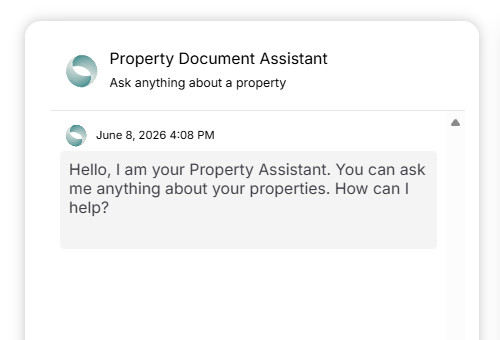
We have made Unicli Chat easier to access while working with client properties. Chat is now available directly from the Properties area of the web app through a dedicated side panel, allowing you to ask questions about client records, governing documents, operational scenarios, and applicable legislation without leaving your properties workspace.
Similar to the Unicli Add-ins in Word and Outlook, Unicli Chat remains available alongside your work, providing immediate access to information and guidance while helping you stay focused on the task at hand.
Thank You for Your Feedback
We appreciate the valuable feedback from our customers, which helps us continually enhance our systems for the benefit of all clients.
Many of the improvements included in this release were driven directly by customer suggestions and real-world usage. We encourage you to continue sharing your feedback, ideas, and enhancement requests as we work to make Unicli even more effective and easier to use.
Continuous Improvements
Alongside the major enhancements, we’ve made many other refinements, performance boosts, and usability improvements. These subtle changes ensure a smoother, faster, and more reliable user experience. We remain committed to continuously optimizing Unicli to better serve your needs.
Not seeing the latest Unicli features yet?
Outlook can aggressively cache web assets used by add-ins, which may delay the appearance of new features, updates, or fixes even after restarting Outlook. If recent changes are not appearing right away, you can use the utility below to clear the Outlook and Office add-in cache and force Outlook to download the latest version of Unicli.
Instructions
- DOWNLOAD the ZIP file.
- Right-click the ZIP file and select Extract All...
- Open the extracted folder.
- Double-click Clear-Cache.bat.
- Follow the on-screen prompts.
Once completed, Outlook will refresh its cached add-in files, helping ensure you are running the latest version of Unicli.
About Unicli Inc.
Unicli Inc. aims to pioneer a new era of property management excellence by enhancing communication through AI, where every interaction is meaningful, every process is optimized, and every community thrives. At the heart of our mission is the belief that effective communication is the cornerstone of property management excellence. Unicli strives to empower property managers with cutting-edge intuitive technology that simplifies communication processes, enabling exceptional service and building lasting relationships.